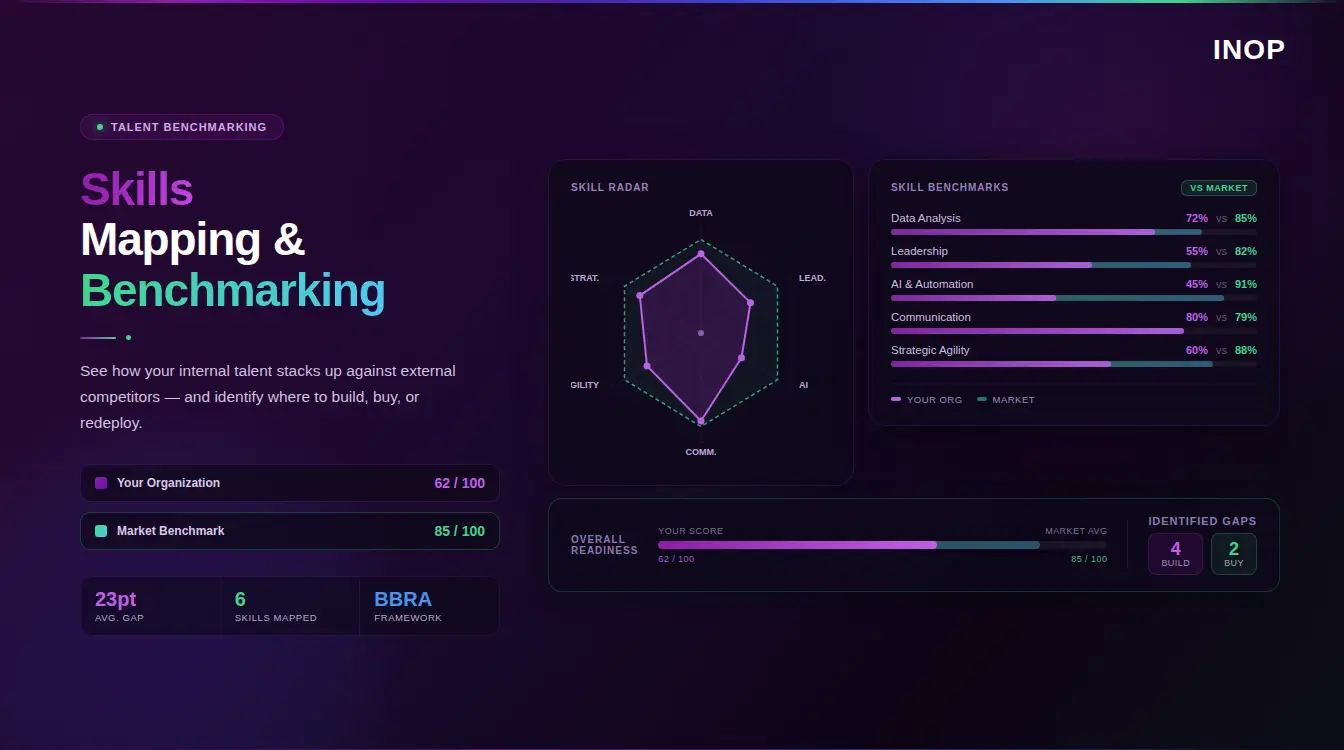
If you’ve ever tried to maintain a company-wide skills inventory in Excel, you know the frustration. You spend weeks mapping competencies, categorizing proficiencies, and organizing everything into neat columns, only to realize the moment you hit “save” that half your data is already outdated. Welcome to the “Spreadsheet of Doom,” where skills data goes to become irrelevant. However, even a dynamic internal framework is blind without external validation. To ensure your framework doesn’t become competitively obsolete, you must map it against external skills intelligence to track real-time market demand and AI automation risks.
The truth is, the traditional approach to skills management, static spreadsheets, manual updates, and rigid hierarchies, simply can’t keep pace with today’s rapidly evolving workplace. Skills emerge, transform, and become obsolete faster than any human can document them. What you need isn’t a better spreadsheet; you need a fundamentally different approach.
This article will show you how to build a dynamic skills taxonomy that updates itself using modern technology and AI. Instead of chasing data, you’ll create a living, breathing skills architecture that evolves with your workforce and the market. Let’s explore how to make this shift from static rows to intelligent, adaptive skills intelligence.
What is a Dynamic Skills Taxonomy?
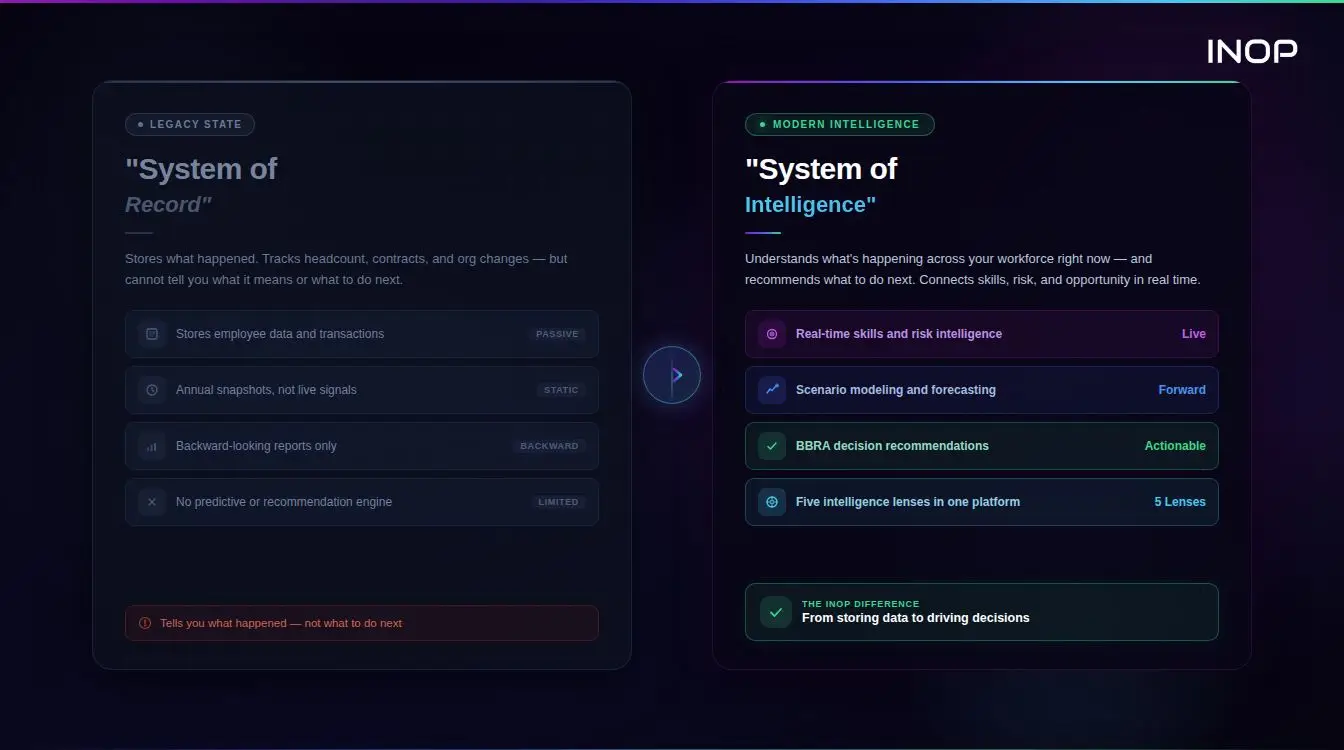
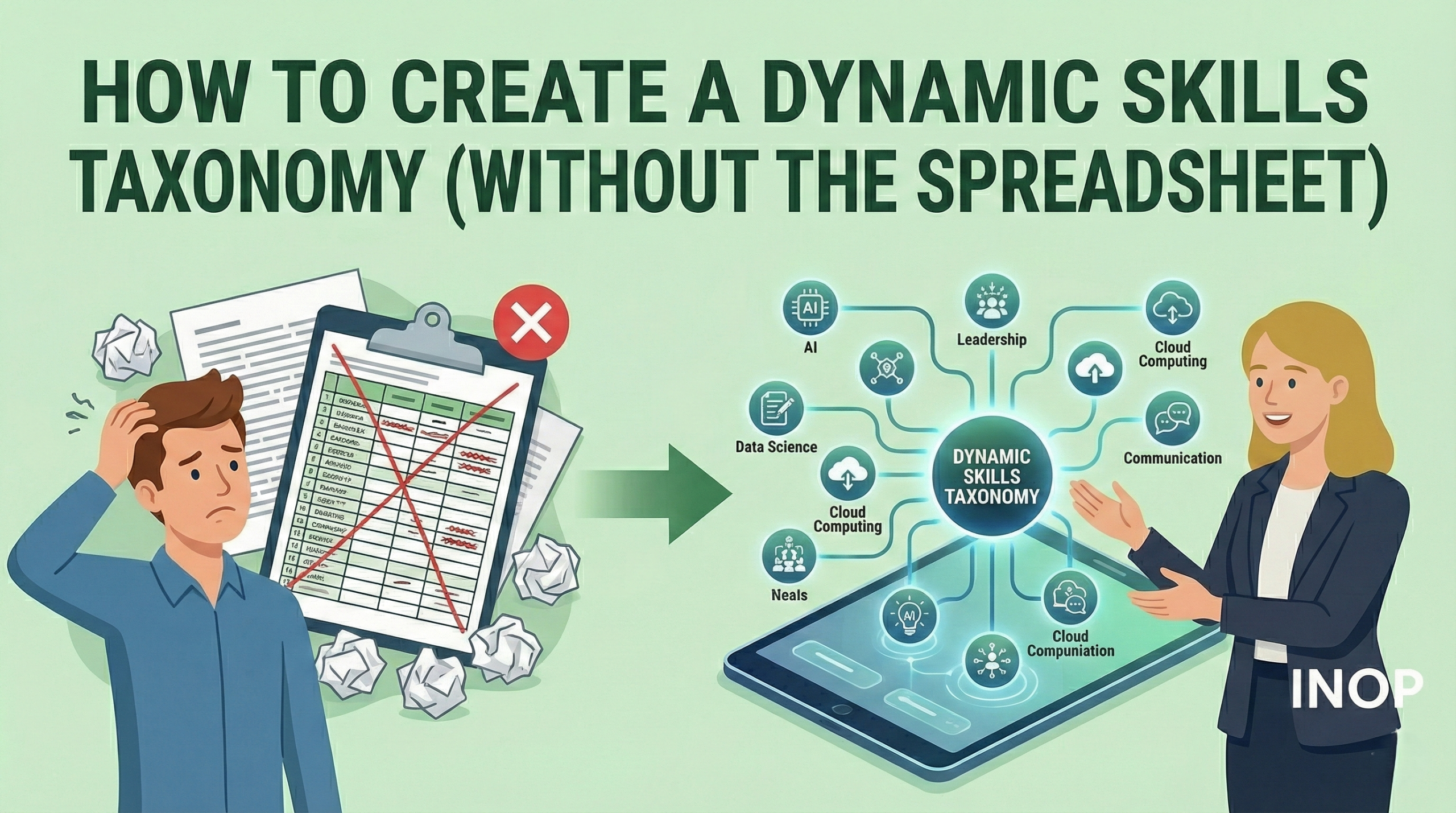
A dynamic skills taxonomy is a continuously evolving framework that organizes, categorizes, and connects skills based on real-time data, market trends, employee behavior, and organizational needs. Unlike its static predecessor, the traditional skills list locked in a spreadsheet, a dynamic taxonomy adapts automatically as new skills emerge and existing ones evolve.
Think of it this way: a static taxonomy is like a printed dictionary that becomes outdated the moment new words enter the language. A dynamic taxonomy, however, functions more like a living database that absorbs new terms, understands context, and reorganizes itself based on usage patterns.
Static vs. Dynamic: Understanding the Fundamental Difference
The distinction between static and dynamic taxonomies goes beyond simple updates:
Static Taxonomy (The Spreadsheet Era):
- Hierarchical and rigid structure
- Manual updates required for every change
- No understanding of synonyms or semantic relationships
- Time-intensive to build and maintain
- Becomes obsolete within months
- Requires constant human intervention
Dynamic Taxonomy (The Modern Approach):
- Networked and fluid structure
- AI-driven automatic updates
- Semantic understanding of skill relationships
- Self-maintaining with minimal human oversight
- Evolves continuously with market changes
- Learns from employee interactions and usage patterns
The fundamental shift here is moving from a document you manage to a system that manages itself, with strategic human guidance rather than manual labor.
Why the Spreadsheet Method Fails
Before we dive into building a dynamic solution, let’s understand why the traditional approach is fundamentally broken.
The Maintenance Trap
The average enterprise has between 800 and 2,000 distinct skills across its workforce. By the time an HR team manually catalogs even half of these in a spreadsheet, the technology landscape has already shifted. That “Blockchain Development” skill you spent time categorizing? It might now need to be split into “Smart Contract Development,” “DeFi Architecture,” and “Web3 Integration.” Meanwhile, new tools and frameworks emerge weekly.
Research shows that approximately 30% of skills required for most jobs change every year. Your static spreadsheet simply cannot keep pace with this velocity of change.
Semantics and Synonyms: The Hidden Complexity
Here’s where spreadsheets truly break down: they lack semantic intelligence. Your workforce might list the same skill in dozens of different ways:
- “React.js” vs. “ReactJS” vs. “React” vs. “React Framework”
- “Client Management” vs. “Account Management” vs. “Customer Success”
- “Data Analysis” vs. “Data Analytics” vs. “Business Intelligence”
A spreadsheet sees these as entirely different entries. You end up with fragmented data, making it impossible to accurately assess your organization’s true capabilities. When a hiring manager searches for “React” skills, they miss all the employees who listed “React.js.” This isn’t a minor inconvenience, it’s a fundamental failure in talent intelligence.
Lack of Context and Relationships
Perhaps most critically, spreadsheets cannot capture the nuanced relationships between skills. They don’t show that:
- Proficiency in SQL often correlates with easier learning of Python
- Strong “Stakeholder Management” typically requires underlying “Communication” and “Negotiation” skills
- “Machine Learning” sits at the intersection of “Statistics,” “Programming,” and “Domain Expertise”
Without this contextual web of relationships, you’re managing isolated data points rather than understanding your organization’s true capability architecture.
Suggested Article before reading next section: Reskilling vs Upskilling
Step-by-Step: Building the Taxonomy (The “No-Spreadsheet” Approach)
Now for the practical part: building a dynamic skills taxonomy that actually works.
Step One: Audit Your “Data Exhaust”
The first rule of dynamic taxonomy building: never start with a blank spreadsheet. Your organization is already generating massive amounts of skills data, you just haven’t been capturing it systematically.
Begin by identifying all existing sources of skills information:
Job Descriptions: Both your internal postings and external market data contain rich skills intelligence. Every “required” or “preferred” qualification is a skill signal.
Employee Profiles: LinkedIn profiles, internal resumes, CV databases, and talent management systems already contain skills data. Your employees have been maintaining their own skills inventories—you just need to aggregate them.
Learning Management Systems (LMS): Course catalogs, completion records, and learning paths reveal which skills your organization values enough to train for.
Project Management Tools: Platforms like Jira, Asana, or Monday.com contain implicit skills data. If Sarah has been assigned to five Python projects in the last year, that’s a strong signal about her capabilities.
Performance Reviews and 360 Feedback: These documents often mention skills directly (“John needs to develop his presentation skills”) or indirectly (“excellent at troubleshooting complex issues”).
The goal isn’t perfection, it’s to gather enough raw material that AI can identify patterns and relationships.
Step Two: Implement “Skills Inferencing” (The Engine)
This is where the magic happens. Skills inferencing uses machine learning to automatically deduce skills relationships and predict capabilities without manual entry.
How it works:
When an employee’s profile shows “Python,” “Pandas,” “NumPy,” and “Jupyter Notebooks,” a skills inference engine can automatically deduce that this person likely possesses “Data Science” capabilities—even if they never explicitly listed it. The system recognizes patterns: people with skills X, Y, and Z typically also have skill A.
This approach transforms skills management from a documentation problem into a data science problem. Instead of asking employees to manually tag every skill, the system observes their work, project assignments, training completions, and tool usage to build comprehensive profiles automatically.
The Technology Behind It:
You’ll need skills intelligence platforms or talent marketplace solutions designed for this purpose. These tools typically include:
- Natural Language Processing (NLP) to extract skills from unstructured text
- Machine learning models trained on millions of job profiles and skills relationships
- Graph databases to map complex skill relationships
- Real-time data integration with your existing HR tech stack
The key differentiator of a Skills-Based Organization is this automated intelligence layer, moving beyond manual categorization to predictive, adaptive skills mapping.
Step Three: Normalization and Ontology
Once you’ve gathered data, you need to clean the mess. This is where normalization comes in.
Cleaning the Mess:
Modern skills platforms use fuzzy matching and semantic analysis to identify duplicates and variations:
- “MS Excel” and “Microsoft Excel” → merged into “Excel”
- “Artificial Intelligence” and “AI” → unified
- “Customer Service” and “Client Support” → linked as synonyms
This process typically achieves 80-90% accuracy automatically, with the remaining edge cases flagged for human review.
Building Relationships: From List to Web:
The real power of a dynamic taxonomy emerges when you move from a flat list to a networked ontology. This involves establishing multiple types of relationships:
Parent/Child (Hierarchical):
- Programming → Python → Django Framework
- Marketing → Digital Marketing → SEO
Adjacency (Related Skills):
- SQL ↔ Database Design (commonly paired)
- Project Management ↔ Stakeholder Communication (typically co-occurring)
Prerequisite Relationships:
- Statistics → Machine Learning (foundational requirement)
- HTML/CSS → Front-end Development (necessary foundation)
Skill Decay Indicators:
- “Flash Development” (declining relevance)
- “Kubernetes” (rapidly growing importance)
This ontology transforms your taxonomy from a reference document into an intelligent system that can recommend learning paths, identify skill gaps, and predict future needs.
Step Four: Validation (Human-in-the-Loop)
Despite advances in AI, you cannot, and should not automate 100% of taxonomy creation. Human expertise remains essential, but in a vastly more efficient way.
The Role of Subject Matter Experts (SMEs):
Instead of asking SMEs to build the taxonomy from scratch, you’re asking them to review and refine what the AI has already created. This shifts their role from creator to validator—a much lighter lift.
For example:
- AI suggests that “Agile Methodology” should be a parent category for “Scrum” and “Kanban”
- SME reviews and confirms, or suggests that “Lean” should also be included
- AI learns from this feedback and improves future suggestions
This human-in-the-loop approach typically reduces the workload by 90% compared to manual taxonomy creation, while maintaining accuracy and relevance. SMEs spend hours reviewing rather than weeks building.
Validation Workflows:
Establish clear processes for ongoing validation:
- Quarterly reviews of high-impact skills categories
- Rapid response for emerging skills (new technologies, tools, or methodologies)
- Feedback loops where employees can flag inaccuracies
- Analytics on which skills are actually being used vs. which exist only theoretically
Integrating the Taxonomy into the Workflow
A skills taxonomy sitting in isolation (even a dynamic one) provides zero value. Integration is where theory becomes impact.
Recruitment: Intelligent Candidate Matching
When your taxonomy is integrated with your Applicant Tracking System (ATS), it can automatically:
- Tag incoming resumes with standardized skills
- Match candidates to roles based on skill proximity, not just exact matches
- Identify candidates with adjacent skills who could quickly upskill
- Reduce bias by focusing on capabilities rather than credentials
For example, a candidate with “React Native” experience might be perfectly suited for a “React.js” role, even if they didn’t use the exact keyword.
Learning and Development: Personalized Growth Paths
Integration with your LMS enables:
- Automatic skill gap analysis for every employee
- Personalized course recommendations based on career aspirations
- Identification of high-ROI training investments (skills that benefit multiple teams)
- Tracking of skills development over time
When an employee expresses interest in moving from “Data Analysis” to “Data Science,” the system can automatically map the skill gap and recommend specific courses: “You need to develop Python, Statistics, and Machine Learning. Here are the relevant courses.”
Internal Mobility: Unlocking Hidden Talent
Perhaps the most powerful application is internal talent matching:
- Surface employees with hidden capabilities for new projects
- Match people to stretch assignments that develop adjacent skills
- Facilitate gig-based work across departments
- Reduce external hiring by finding internal talent first
Organizations that implement dynamic skills taxonomies report finding internal candidates for 40-60% of roles they previously would have filled externally.
A dynamic taxonomy is the engine, but compensation is the fuel. For your skills architecture to truly drive behavior, it must eventually link to your reward systems. Explore how to bridge the gap between your skills data and your payroll in our analysis of Skills-Based Pay vs Job-Based Pay.
Measuring Success: The Metrics
You can’t improve what you don’t measure. Here are the key metrics for evaluating your dynamic skills taxonomy:
Utilization Rate
What percentage of employees are actively engaging with their skills profiles?
- Target: 70%+ quarterly active users
- Why it matters: Low utilization means your taxonomy isn’t embedded in real workflows
Skills Coverage
What percentage of your workforce has comprehensive, up-to-date skills profiles?
- Target: 85%+ of employees with at least 5 validated skills
- Why it matters: Incomplete data leads to missed opportunities
Mobility Rate
How many internal moves, role changes, or project assignments were facilitated by better skills intelligence?
- Benchmark: Organizations with mature skills taxonomies see 2-3x higher internal mobility rates
- Why it matters: Internal mobility is cheaper than external hiring and improves retention
Time-to-Fill
Did accurate skills data reduce hiring time?
- Benchmark: 20-35% reduction in time-to-fill for technical roles
- Why it matters: Faster hiring means less productivity loss and better candidate experience
Skills Velocity
How quickly does your taxonomy adapt to include new, emerging skills?
- Target: New skills identified and integrated within 30 days of market emergence
- Why it matters: Measures the “dynamic” in dynamic taxonomy
Recommendation Accuracy
When the system suggests learning paths or internal candidates, how often are those recommendations valuable?
- Target: 60%+ of recommendations lead to action (course enrollment, application, etc.)
- Why it matters: Low accuracy means poor signal quality or incorrect relationships
Frequently Asked Questions
How long does it take to implement a dynamic skills taxonomy?
Implementation timelines vary based on organization size and data quality, but most companies see an initial functional taxonomy within 8-12 weeks. This includes data audit, AI training, SME validation, and initial integrations. Full maturity—where the taxonomy is deeply embedded across all talent processes, typically takes 6-12 months.
Do employees need to manually update their skills profiles?
Not primarily. While employees should have the ability to add or claim skills, a properly implemented dynamic taxonomy should infer 70-80% of skills automatically based on project work, tool usage, training completions, and other data signals. Manual updates should be the exception, not the rule.
What’s the typical ROI of moving from spreadsheets to a dynamic taxonomy?
Organizations report diverse returns, but common impacts include: 25-40% reduction in external hiring costs (through improved internal mobility), 15-30% faster time-to-fill for roles, 50-70% reduction in time spent on skills management by HR teams, and improved employee retention (3-7 percentage points) due to better career development opportunities.
How do you handle niche or company-specific skills?
Dynamic taxonomies excel here because they learn from your organization’s specific context. While they start with standard market skills, the AI quickly identifies and incorporates your unique competencies—whether that’s proprietary software, specialized processes, or industry-specific knowledge. SMEs can also manually add critical niche skills during validation.
Can a dynamic taxonomy integrate with our existing HR technology stack?
Most modern skills intelligence platforms are built with integration in mind, offering APIs and pre-built connectors for common systems (Workday, SuccessFactors, Cornerstone, etc.). The key is choosing a solution that fits your specific tech ecosystem. Integration capabilities should be a primary selection criterion.
How do you prevent the taxonomy from becoming biased?
Bias can creep in through training data or human validation. Mitigation strategies include: regular bias audits of AI recommendations, diverse SME validation teams, transparency in how skills are inferred, and monitoring for patterns that might disadvantage certain groups. The human-in-the-loop validation is critical for catching and correcting bias the AI might perpetuate.
What happens to legacy skills that are no longer relevant?
Dynamic taxonomies should include deprecation mechanisms. Skills aren’t deleted but rather flagged with declining relevance scores. This preserves historical data (useful for understanding career paths) while signaling to employees and managers that investment in these skills may not be strategic. Think of it like a living language, words become archaic but remain in the record.
Conclusion
The era of managing skills in static spreadsheets is over. In today’s rapidly evolving workplace, skills are the currency of talent and you can’t manage currency in a static ledger anymore. A dynamic skills taxonomy represents a fundamental shift from documentation to intelligence, from manual labor to automated insight, and from outdated snapshots to real-time capability mapping.
By auditing your existing data exhaust, implementing AI-driven skills inferencing, establishing proper ontology and normalization, and maintaining human validation loops, you create a system that evolves with your organization. When integrated across recruitment, learning, and internal mobility, this taxonomy becomes the foundation for true talent agility.
The organizations that master dynamic skills taxonomies won’t just fill roles faster or reduce hiring costs—they’ll unlock hidden talent, build more resilient teams, and adapt to market changes with unprecedented speed. The question isn’t whether to make this transition, but how quickly you can get started.
Ready to move beyond the spreadsheet? Begin with a skills data audit this week. Identify your existing sources, evaluate skills intelligence platforms that fit your tech stack, and assemble a cross-functional team to champion this transformation. Your future workforce strategy depends on the foundation you build today.